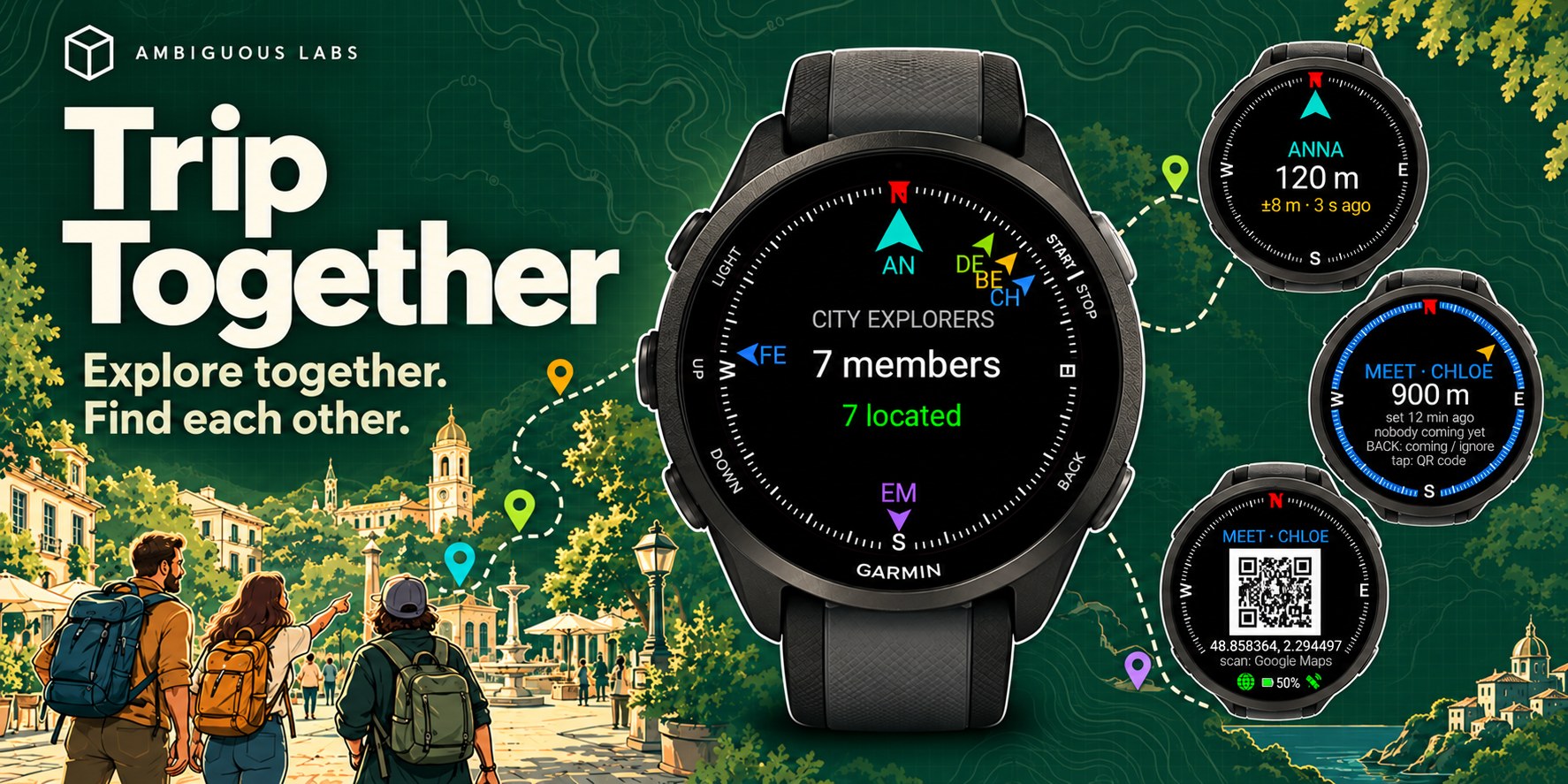
A Garmin watch app
 Trip Together
Explore together. Find each other.

For hikes, city trips, festivals and family days out: any outing where a group spreads out and wants to find each other again with ease.
Trip Together shows you where your group is, right on your wrist.
An arrow and a distance for every friend. One meeting point for everyone. A few quick messages, no typing. No accounts, no sign-up, and nothing recorded.
Your screens
simple on purpose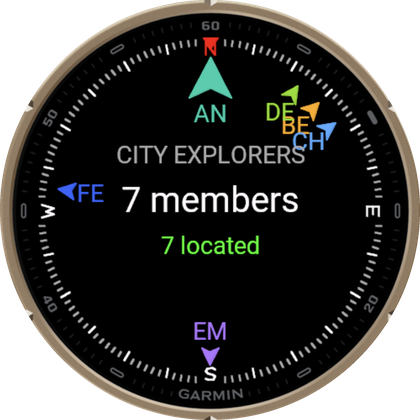
The group compass
An arrow around the dial for every friend, in their own colour. Press BACK for the friends list, with the distance to each.
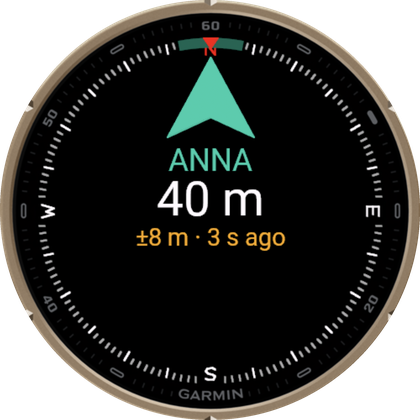
One friend, close up
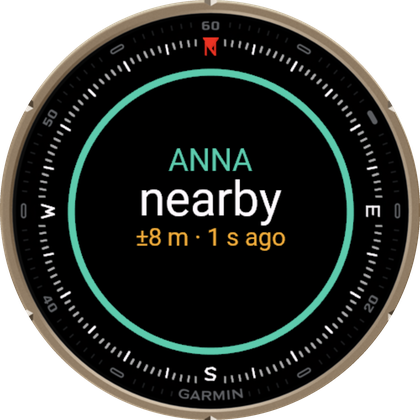
Pick a friend and their arrow grows big: the direction, the distance, and how fresh their position is.
Nearby
Within about 10 metres an arrow can't be trusted, so it turns into a ring: look around, they are close.
A watch face too
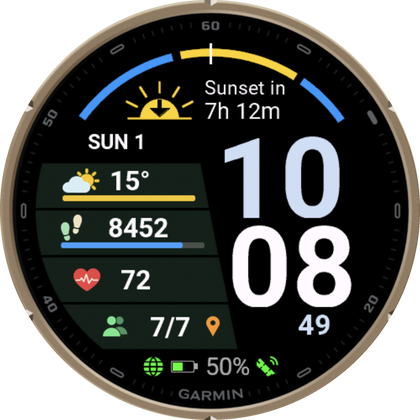
Leave Trip Together open as your watch: a Venu 4 inspired watch face screen with all essentials for your day out. One swipe to the compass and location of your friends.
Meet Here
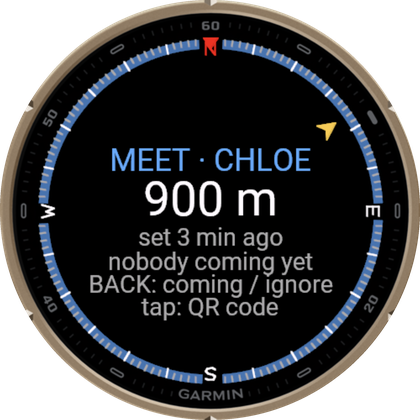
One screen per meeting point: an arrow, the distance and who set it. Close by, the arrow turns into a ring: you're nearby. Tap it for the map code.
The map code
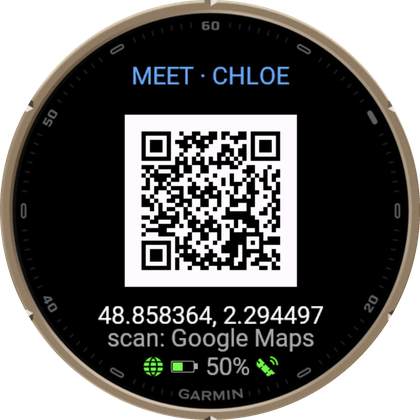
Scan it with your phone's camera and the spot opens in Google Maps or Apple Maps.
Quick messages
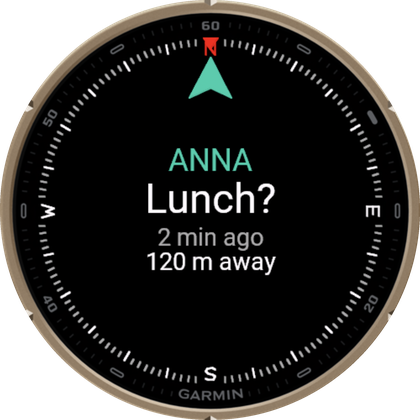
A friend's message pops up with who sent it, when, and how far away they are, with an arrow to them.
A new group in seconds
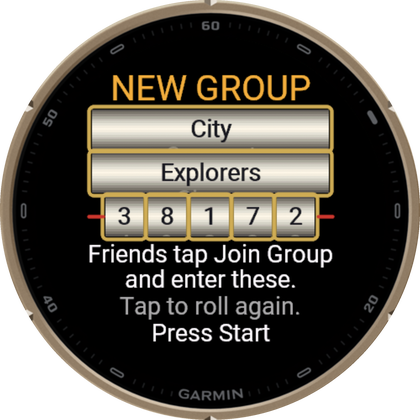
Create Group rolls a random name and key like a slot machine: each word and each digit on its own reel. Tap to roll again, then share them with your friends.
Your group
phone nearbyWhere everyone is
An arrow for each friend, with the distance, and how long ago their position arrived. Up to 15 people in a group.
One spot for everyone
Anyone can drop a meeting point where they stand. A gold arrow points to it on every watch in the group, and a tap shows a code that opens the spot in Google Maps or Apple Maps on a phone.
No typing on the move
Eight quick messages to the whole group in a few presses: Wait for me!, Lunch?, Coffee break?, Coming!, All good, Heading back, I'm done for today and Check WhatsApp!.
Who is out there
A list of everyone in the group with their distance and when they were last seen. Pick a friend to see only them, or to open their spot on your phone.
No recording
open it, share, close it- Open the app and you are sharing with your group.
- Close the app and you are done. Nothing to start, nothing to save.
- Nothing in Garmin Connect, unless you want it: turn on Save in Garmin Connect (Group Settings) and your trip is saved as a Walk.
- Easy on the battery. When nobody else in your group is online, the GPS rests and checks your position once a minute.
Use it next to whatever you already record with, or on its own.
Good to know
please readTrip Together is not a safety device
It is a friendly app for staying together on an outing. Do not rely on it for your safety or anyone else's. It does not call for help, and nobody watches it. In an emergency, call the local emergency number (112 in Europe).
The arrows and distances point in a straight line. They know nothing of the streets, the water or the terrain in between. It needs a GPS position and your phone with the Garmin Connect app nearby; outdoors, with a clear view of the sky, it works best.
How it works
the short versionGroup set-up
A group is a Group Name and a Group Key. Everyone who enters the same name and key is in the group. No accounts, no sign-up. One of you picks Create Group, which rolls a random name and key; the others pick Join Group and enter the same two words and five digits. Start Trip! and the group compass opens. Leave Group in the menu starts you from scratch.
How far
Each watch sets its own Location Range: from 500m to 10km (5km unless you change it), or Unlimited. You choose how far away the group may see your position; a friend farther away than their range does not appear.
Your phone
The group sharing travels through the Garmin Connect app on your phone, so keep it nearby and online. It switches itself on the first time the app starts (Trip+), with no code and no account.
Meet Here
On a friend's meeting point, press BACK to say Coming Over or Ignore. The arrows of the friends who are on their way show on the point's screen. A point goes away by itself after an hour, or when its owner moves away from it or says they are leaving.
Their spot on your phone
In the friends list, pick a friend and choose Open in Maps: a code appears, and your phone's camera opens their spot in Google Maps. Map Code in the settings switches every code to Apple Maps.
Alerts and settings
- A buzz when a friend joins the group.
- Keep Screen On, and the GPS options, under Group Settings.
Lots of other small settings live in the watch menu.
Your watch
46 Garmin watches- Forerunner
- 70, 165, 165 Music, 170, 170 Music, 255, 255 Music, 265, 265S, 570, 955, 965, 970
- Venu
- Venu 3, 3S, Venu 4
- vívoactive
- vívoactive 5, 6
- fēnix
- fēnix 7, 7 Pro, 7X, 7X Pro, fēnix 8, 8 Pro, 8 Solar, fēnix 9, 9 Pro, 9 Pro Solar, fēnix E
- epix
- epix (Gen 2), epix Pro (Gen 2)
- MARQ
- MARQ (Gen 2), MARQ Aviator
- Enduro
- Enduro 3
Sizes and versions as listed in the Connect IQ store, which has the final word for your watch.
Built out of passion
ideas welcomeIf you love the app and wish it had another feature, let me know at support@ambiguouslabs.net. I will be happy to improve it and make your outings even better.
The app is free. The group sharing runs on relays that cost $ to keep running. If Trip Together makes your trips better, feel free to buy me a coffee.
Buy me a coffee