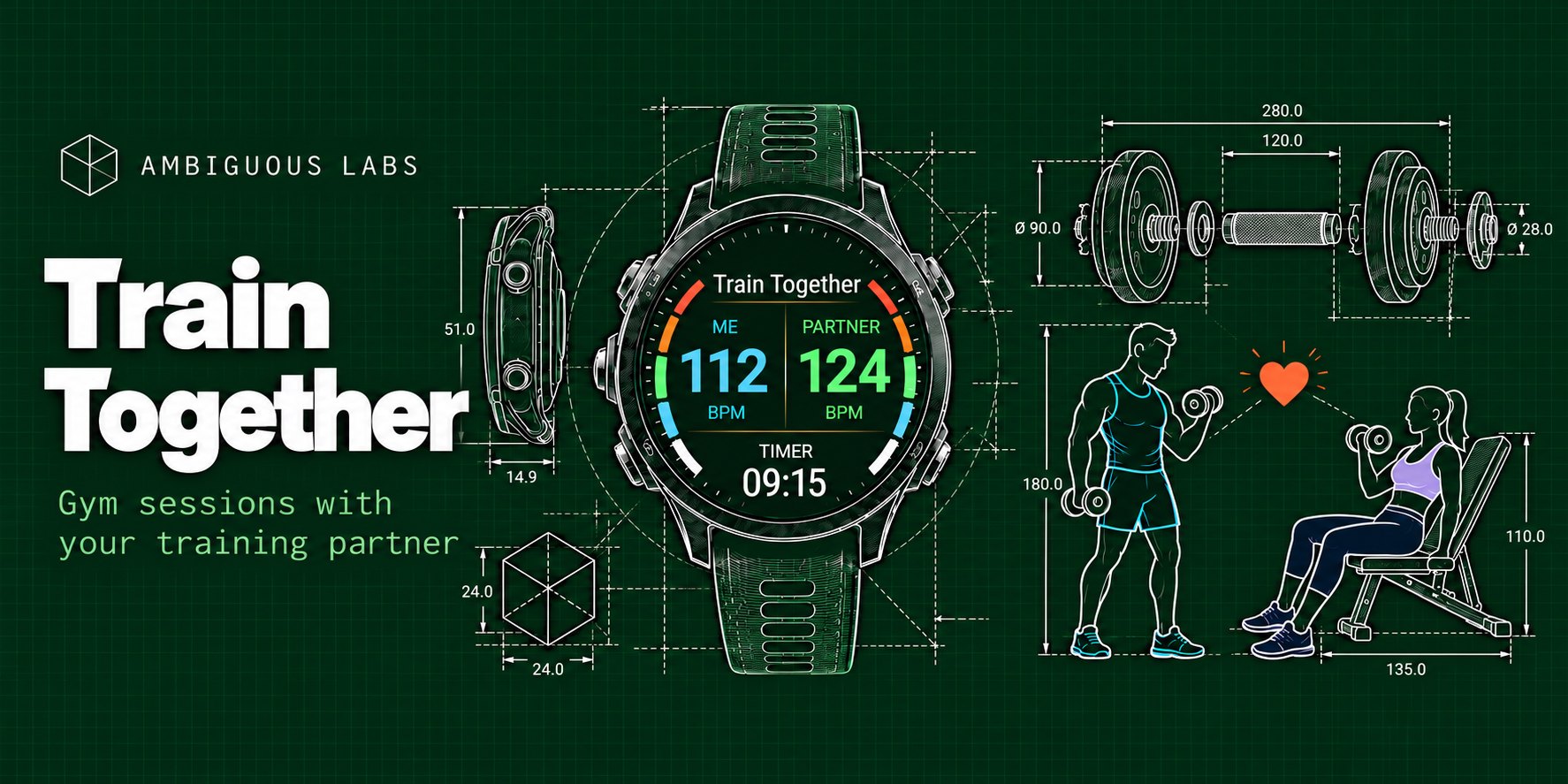
A Garmin watch app
 Train Together
Train together, keep an eye on each other's heart.
Garmin's built-in Strength app is excellent. It's packed with features we wouldn't dream of replicating. And that's not what Train Together is about.
Train Together covers the strength training essentials, with one meaningful difference: your training partner.
You see your partner's heart rate, calories, max and average heart rate and timer countdown, right on your wrist, between your sets. Watch to watch, no phone needed.
Your screens
three screens and a timer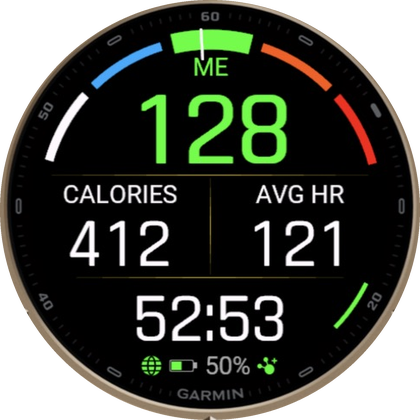
1 · Me
Your heart rate on a zone gauge, then CALORIES and AVG HR, and your training time, big.
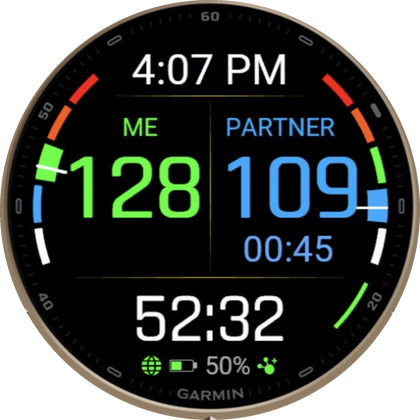
2 · Both of you
Your heart rate and your partner's side by side. Under each one, while that person's timer runs: the countdown.
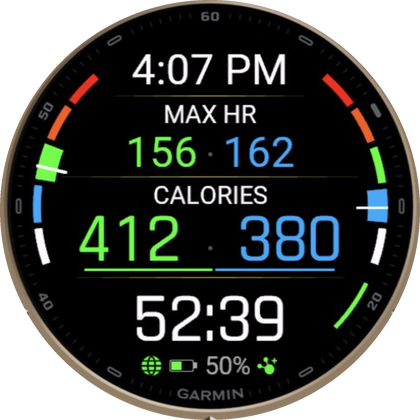
3 · Max HR and calories
Each of you side by side: your MAX HR on top, and what each of you has burned. You choose both rows.
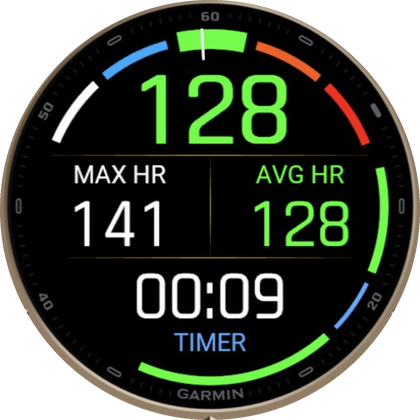
Timer
Press BACK after a set: your heart rate, the set's MAX HR and AVG HR, and the countdown. Press BACK twice for the long timer.
Two ways to train
pick one on the watchWith a partner
- Heart rate, calories, max and average heart rate and the timer countdown over the ANT+ radio, watch to watch, within about 10m.
no phone needed - Heart rate, calories and max and average heart rate over the internet (Train+), when you are not next to each other.
phone nearby
Solo
Just you: heart rate, zones, calories, your training time, the timers and alerts.
no phone neededThe timer between sets
one buttonPress BACK
After a set, press BACK once for the short timer (30 seconds). Press it twice quickly for the long timer (2 minutes).
Watch the ring
The timer page counts down on a ring and shows your MAX HR and AVG HR for the set you just did. Need more time? Press BACK again and it adds the same time once more.
Back to work
The watch buzzes twice when the countdown is over. Ready early? Press START to end it.
Your partner sees your countdown too, so you both know when the next set starts. The short and the long timer are yours to change: 10 to 60 seconds and 1 to 5 minutes, in Train Settings on the watch (also during a workout) or in the Connect IQ app on your phone.
How it works
the short versionPair with your partner
You and your partner each have a unique ID, under Partner Settings on the watch (My ID). Each of you enters the other's ID as your Partner ID: by hand, or with Pair Now when you stand next to each other. No accounts, no sign-up.
Make it yours
On screen 1 you choose what the middle and the bottom show: Calories, Avg HR, Max HR or your training time. By default it is CALORIES | AVG HR and the training time. On screen 3 you choose its two rows, for both of you: Calories, Max HR or Avg HR.
Alerts
- Heart rate alerts for yourself and your partner, under Alerts Settings.
- Auto Scroll can flip through the screens for you.
How often
How often the watches exchange data with each other while you train:
- ANT+ radio: heart rate every second; calories, max and average heart rate and the countdown every 2 seconds.
- Internet: heart rate, calories and max and average heart rate every 5 seconds (phone nearby). The countdown travels over ANT+ only.
Train+
Train+ is the optional internet sharing, through the Garmin Connect app on your phone. It is for partners who are not next to each other. It switches itself on the first time the app starts, with no code and no account.
Saving
Each workout is saved to Garmin Connect as a Training activity, like any other Garmin workout.
Lots of other small settings live in the watch menu.
Your watch
46 Garmin watches- Forerunner
- 70, 165, 165 Music, 170, 170 Music, 255, 255 Music, 265, 265S, 570, 955, 965, 970
- Venu
- Venu 3, 3S, Venu 4
- vívoactive
- vívoactive 5, 6
- fēnix
- fēnix 7, 7 Pro, 7X, 7X Pro, fēnix 8, 8 Pro, 8 Solar, fēnix 9, 9 Pro, 9 Pro Solar, fēnix E
- epix
- epix (Gen 2), epix Pro (Gen 2)
- MARQ
- MARQ (Gen 2), MARQ Aviator
- Enduro
- Enduro 3
Sizes and versions as listed in the Connect IQ store, which has the final word for your watch.
Built out of passion
ideas welcomeIf you love the app and wish it had another feature, let me know at support@ambiguouslabs.net. I will be happy to improve it and make your workouts more enjoyable.
The app is free. The internet sharing runs on relays that cost $ to keep running. If Train Together makes your training better, feel free to buy me a coffee.
Buy me a coffee